An employee attendance tracker should make the daily register easy to check: who has arrived, who is away and which entries need a follow-up. The most useful screen is one your manager can interpret without rebuilding a spreadsheet.
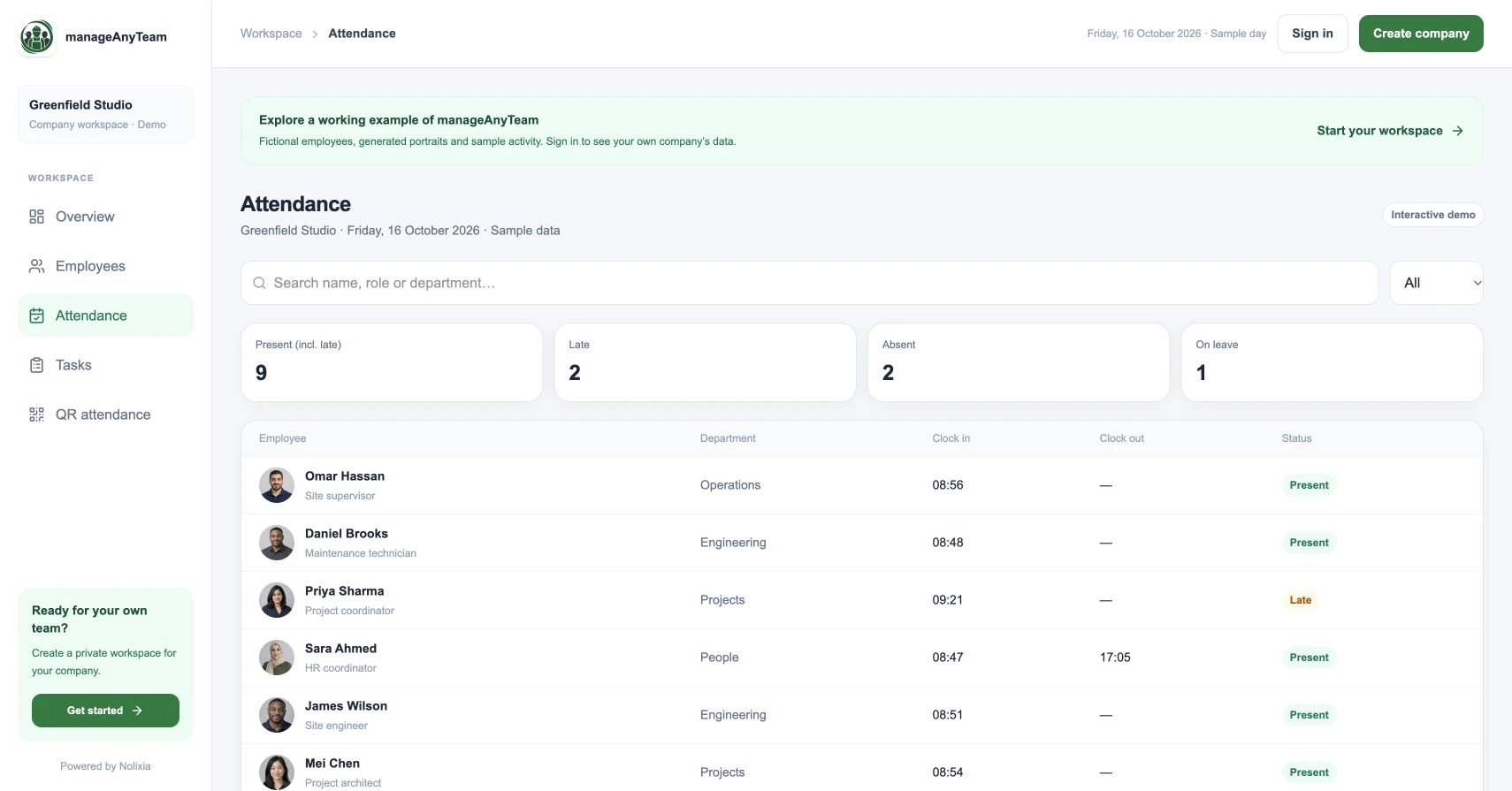
In ManageAnyTeam’s public demo, Attendance brings employee names, departments, clock-in times, clock-out times and status labels into one register. Use those fields to work through the checks below.
What should an attendance tracker record?
Start with an employee identifier, work date, relevant workplace, clocking events and an agreed attendance status. The record also needs a process for handling missing or incorrect information, even when that process happens outside the tracker.
Decide what late means for each schedule. An arrival at 09:15 cannot be interpreted fairly without knowing the expected start time and any agreed adjustment.
For an operational example, use the employee attendance tracker template. It separates confirmed status from pending review and includes a manual exception log.
Check the exceptions before the totals
Missing clock-out: the employee may still be working or may have forgotten to finish the record. Verify the situation before calculating a completed shift.
Absent status: check the expected schedule and authorised leave. An empty clock-in field alone is not enough to decide why someone is away.
Duplicate event: establish whether it was a repeated attempt or a separate work period. Keep the explanation alongside the correction process.
Changed time: agree who can request a correction, who approves it and how the original entry remains traceable. Ask the supplier to demonstrate the controls you require.
Read the sample register correctly
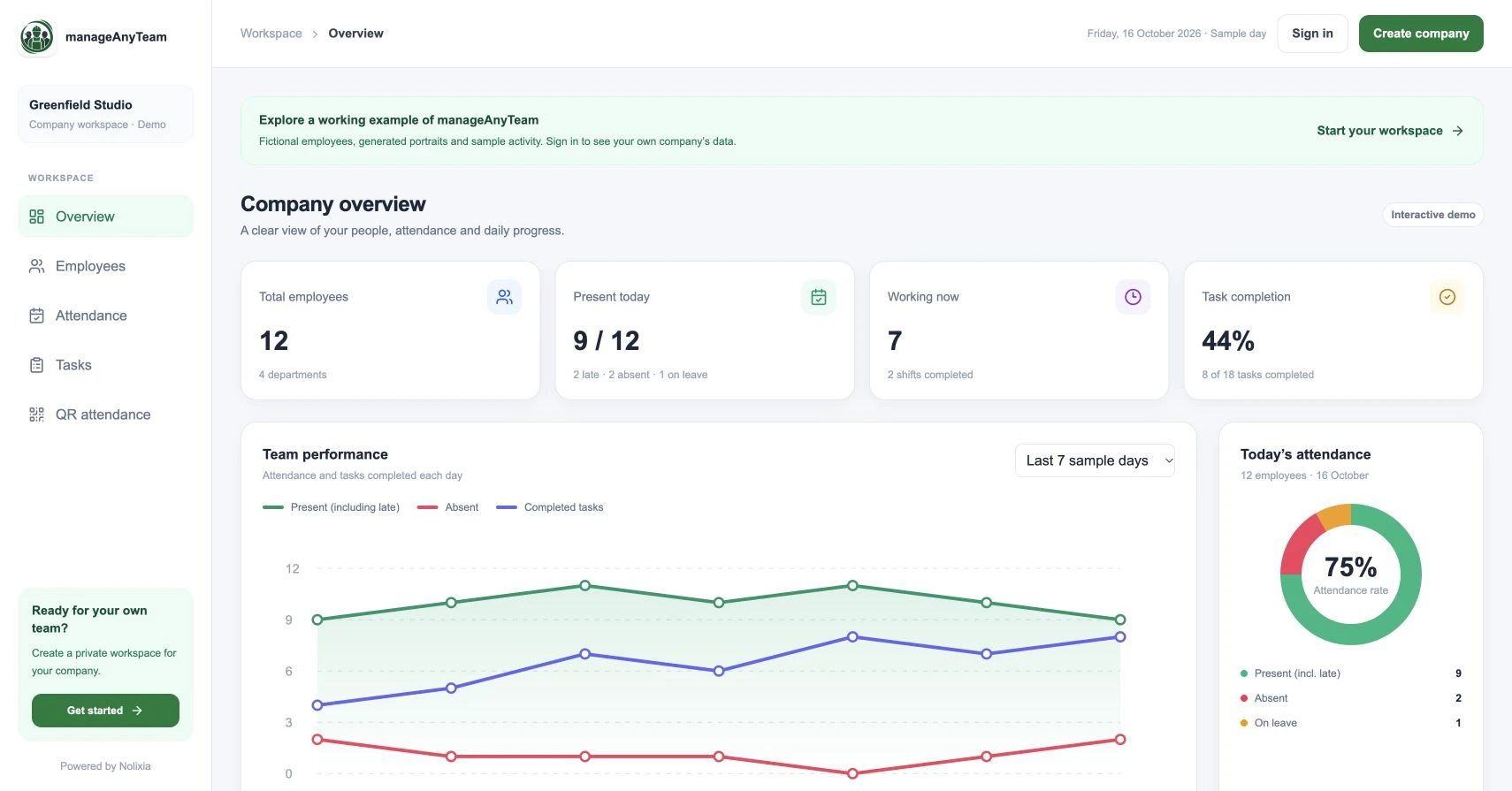
The public sample shows nine present employees, including two labelled late. Two are absent and one is on leave. Late is a subset of present in this example, so adding 9 + 2 + 2 + 1 would count two people twice.
The daily status view answers an attendance question. It should not be treated as a complete payroll calculation or a measure of how productive a person has been.
Match the capture method to your workplace
An office with a shared entrance, a mobile service team and a multi-site operation have different capture needs. Compare workplace QR scanning, a shared terminal and individual clocking against device availability, connectivity and the fallback when a scan fails.
ManageAnyTeam’s QR view explains a workplace-code approach. Explore that flow before deciding how your employees will use it.
What should you test before switching?
Use a small pilot with a normal arrival, a late arrival, a missing finish time and a correction. Have both a manager and an employee explain the record. Check that the agreed process handles every case.
For UK working-time questions, consult current Acas guidance. For monitoring and personal-data choices, use current ICO guidance and explain your process to staff.
Try it with your own management question
Explore the ManageAnyTeam demo: https://manageanyteam.com/?utm_source=nolixia&utm_medium=article&utm_campaign=manageanyteam_guides&utm_content=2
Open the relevant view and follow the example in this guide. When you are ready to set up your company, use Create company on the website.
Product help: https://manageanyteam.com/help
Related guides
https://nolixia.com/blog/qr-code-attendance-system-for-employees-how-it-works
https://nolixia.com/blog/how-to-track-employee-attendance-a-practical-daily-process
https://nolixia.com/blog/employee-attendance-dashboard-how-to-read-the-numbers
Sources and product notes
https://www.acas.org.uk/working-time-rules
https://ico.org.uk/for-organisations/uk-gdpr-guidance-and-resources/employment/monitoring-workers/
Updated 19 October 2026. Nolixia develops ManageAnyTeam. The full-colour screenshots show the public demo with fictional employees and sample activity; they are not customer results.