To track project progress, define the outcome, break it into checkable work and compare completed results with the plan. A percentage is useful only when everyone understands what it counts.
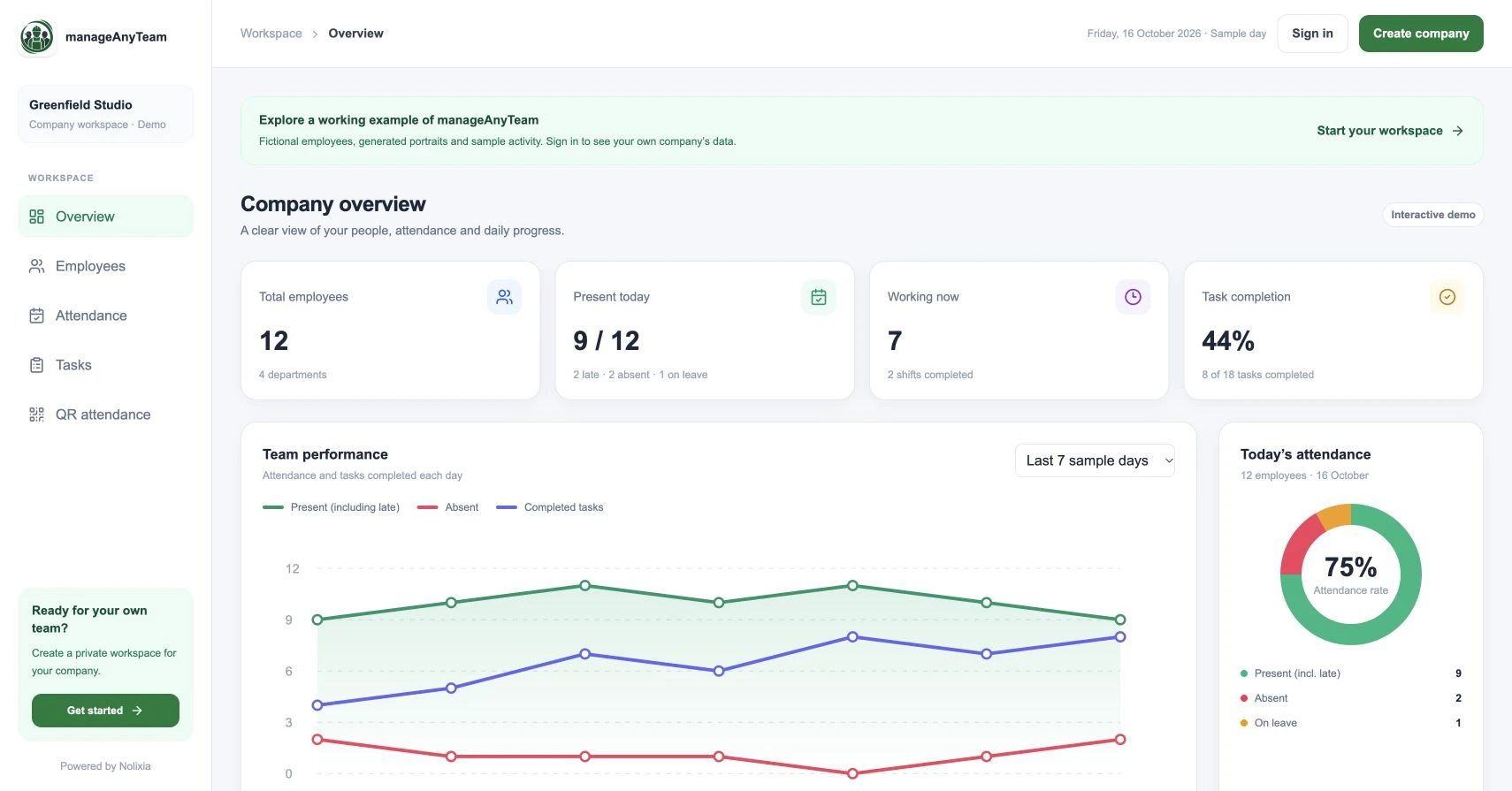
ManageAnyTeam’s Overview shows project progress alongside task completion. The distinction gives a small team a useful starting point for asking what is finished, what is blocked and what should happen next.
Choose the measure before reporting the number
Completed-task count works best when the tasks are similar enough for a count to answer the question. Accepted milestones suit work with distinct reviewable stages. Weighted work can represent unequal deliverables when the weights have been agreed in advance.
Estimated task percentages can support an interim discussion, but they need a shared definition and a recent update. None of these methods automatically predicts the delivery date.
A worked example: 90% and 45% can describe the same project
Suppose nine small preparation tasks are accepted and one installation task remains unfinished. A simple count gives nine out of ten, or 90% complete.
Now suppose each preparation task has an agreed weight of one and the installation has a weight of eleven. The total is twenty units; the accepted nine units give 45%.
The figures answer different questions. The weights are a planning model, not an objective measurement of the entire project. “Nine preparation tasks accepted; installation not started” gives the reader context that either percentage alone would miss.
Understand the two ManageAnyTeam summaries
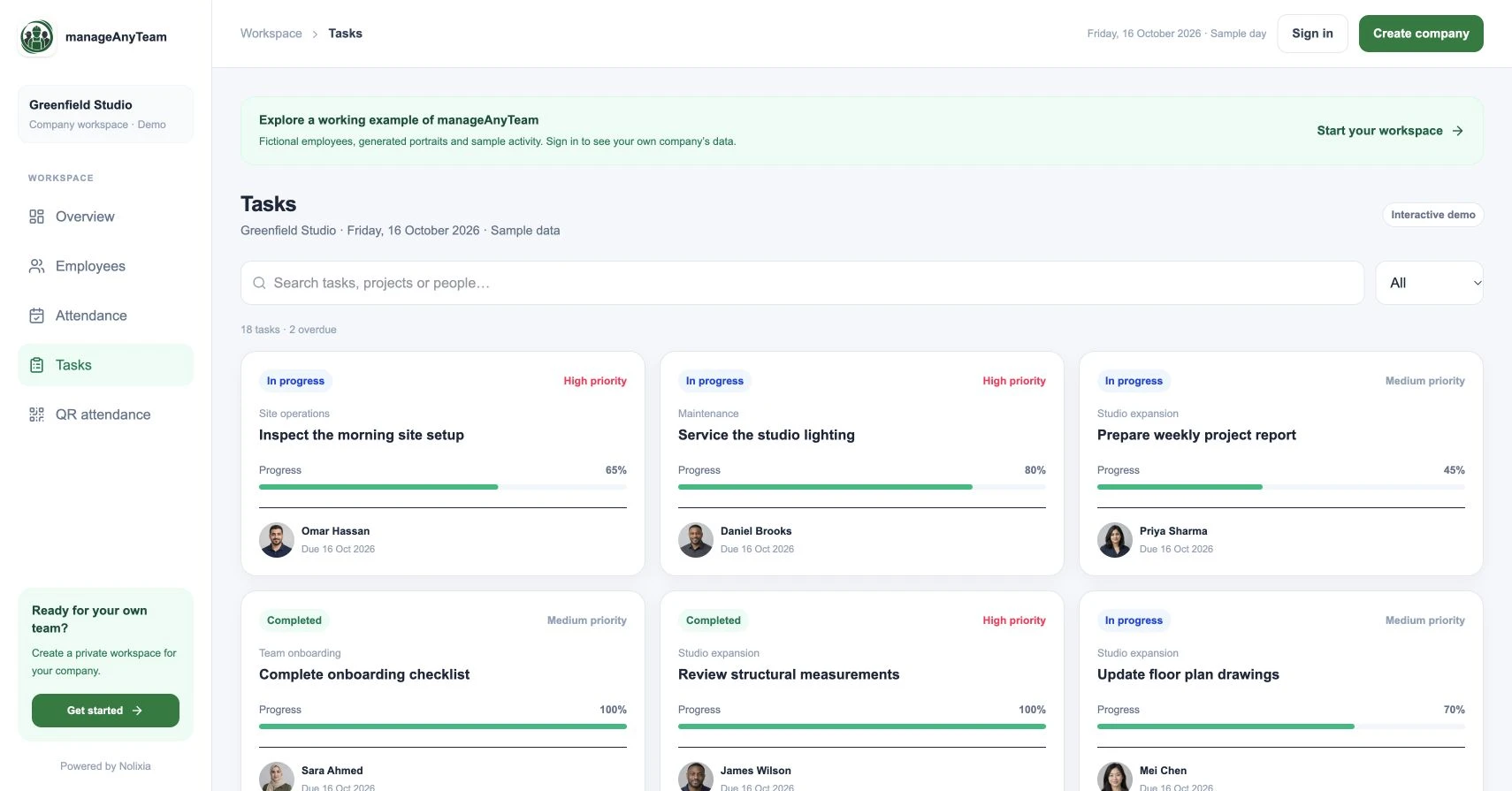
The public Overview describes project progress as an average across each project’s sample tasks. Task completion separately reports how many sample tasks are marked completed.
An average can include partial task progress, while a completed-task ratio counts finished tasks. Compare the labels before expecting the values to match. Open Tasks to inspect the owner, due date, status and percentage behind the summary.
The sample figures illustrate the interface. They do not represent a customer delivery result or prove a forecasting method.
Make the progress review actionable
For each review, write down the date, accepted outcomes, remaining deliverables, blockers and next decision. Name the person responsible and the date the decision is needed.
For example: “Preparation checks accepted. Installation waiting for supplier confirmation. The project owner needs a confirmed date by Wednesday before revising the handover plan.” This hypothetical update helps the team act without disguising uncertainty behind a progress bar.
Revisit the plan when scope changes
Adding work changes what completion means. Record the new scope and explain why the reported percentage has changed, even if the team has completed more work since the last review.
Review missed milestones and unresolved dependencies alongside progress. An important unfinished approval can control delivery even when most small tasks are complete.
How often should we update progress?
Choose a cadence that matches the pace and risk of the work. Update sooner when a dependency changes, a deadline is threatened or a decision is needed. A short useful update is better than a repeated percentage with no explanation.
Try it with your own management question
Explore the ManageAnyTeam demo: https://manageanyteam.com/?utm_source=nolixia&utm_medium=article&utm_campaign=manageanyteam_guides&utm_content=10
Open the relevant view and follow the example in this guide. When you are ready to set up your company, use Create company on the website.
Product help: https://manageanyteam.com/help
Related guides
https://nolixia.com/blog/employee-task-management-software-a-small-team-buying-checklist
https://nolixia.com/blog/employee-attendance-dashboard-how-to-read-the-numbers
https://nolixia.com/blog/how-to-assign-tasks-to-employees-a-clear-repeatable-method
Sources and product notes
https://www.atlassian.com/work-management/project-management/project-progress
Updated 19 October 2026. Nolixia develops ManageAnyTeam. The full-colour screenshots show the public demo with fictional employees and sample activity; they are not customer results.