An employee attendance dashboard should help a manager spot the record that needs attention. Before acting on a percentage, check the date, the people included and the meaning of each status.
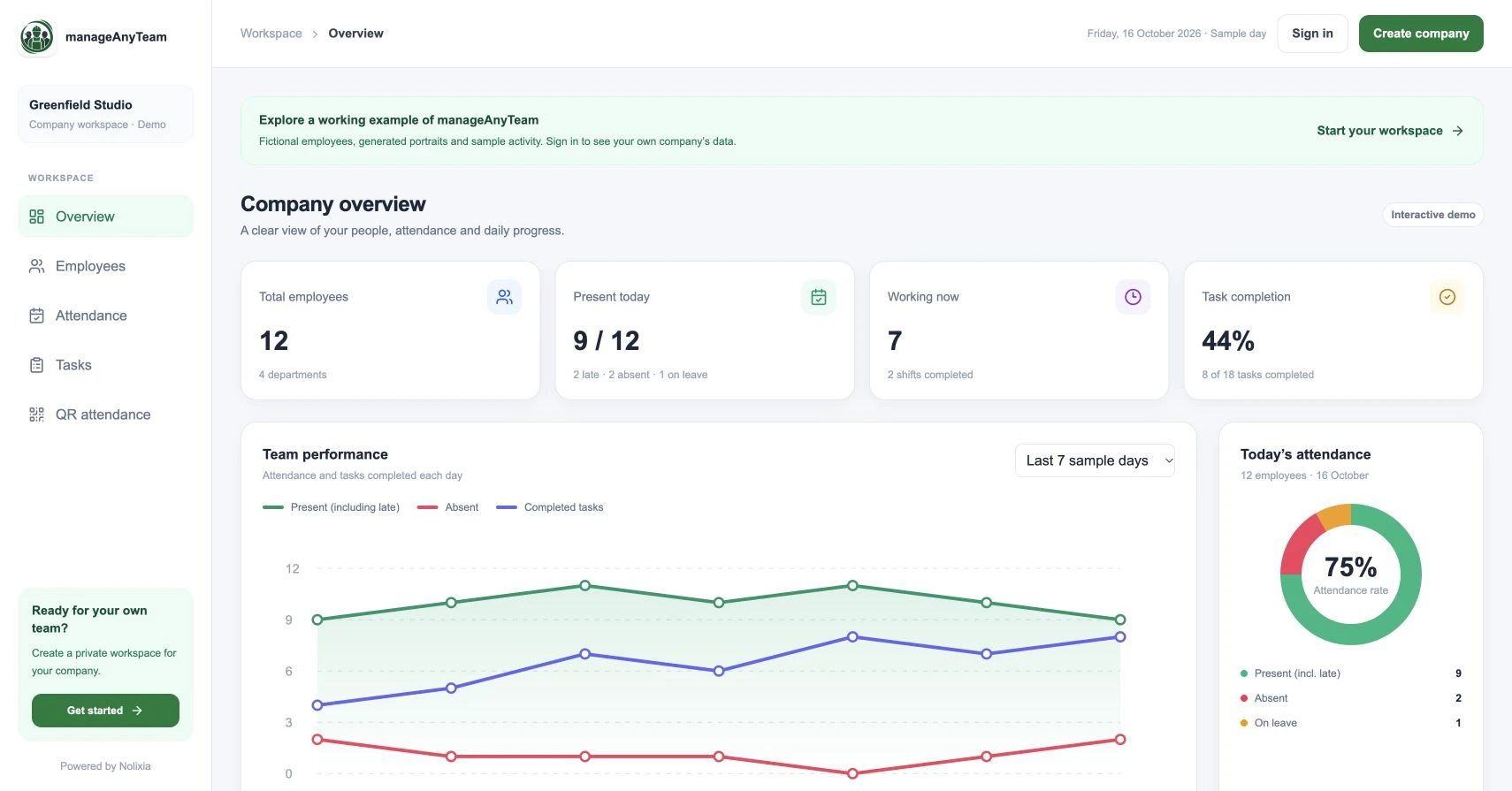
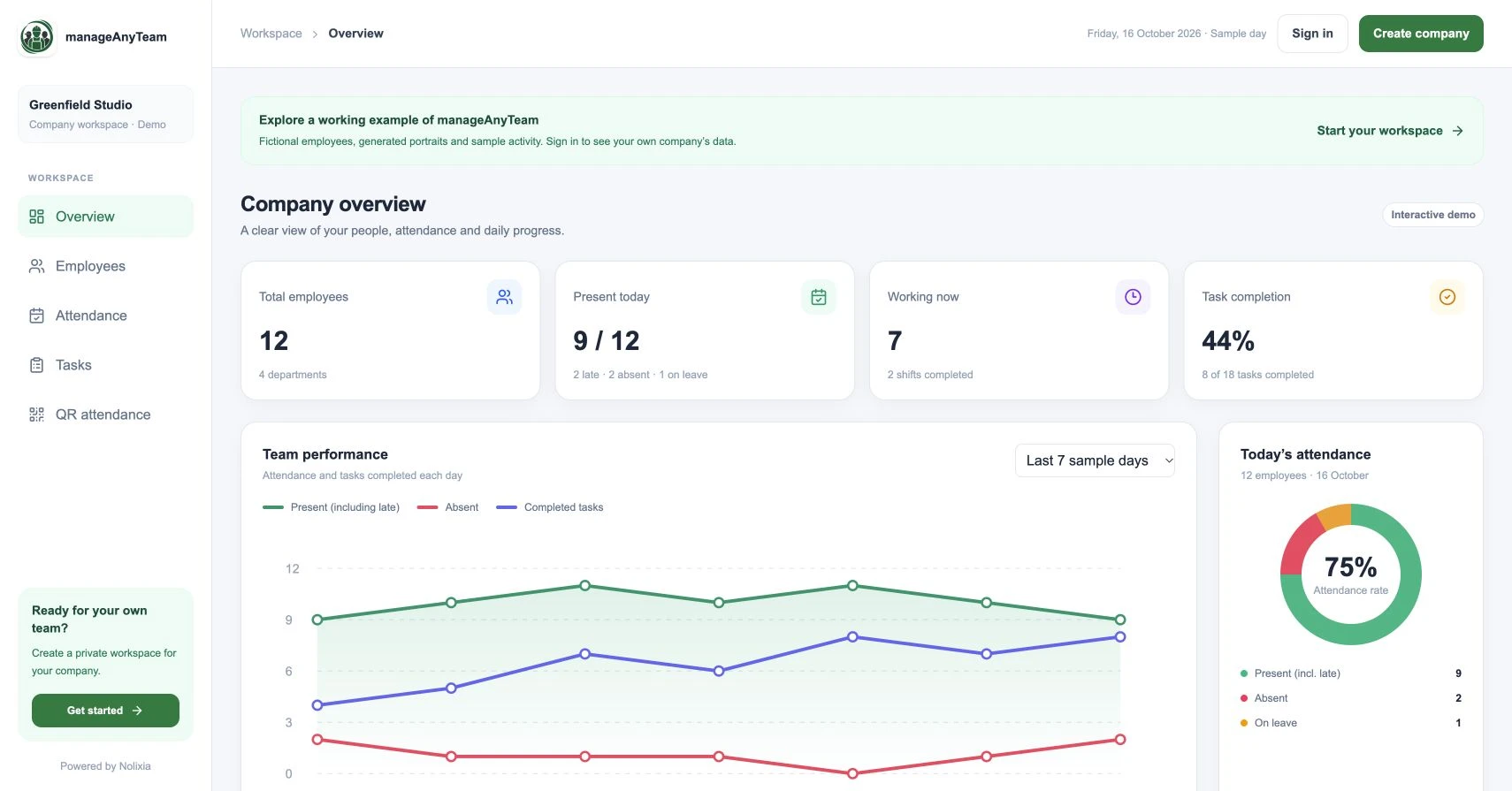
ManageAnyTeam’s Overview combines attendance totals, a trend chart and task information. The sample numbers below show how to turn that summary into practical questions.
Start with the denominator
The demo company has twelve employees. Nine are present, two are absent and one is on leave. The present group includes two employees labelled late.
Present rate in this sample is 9 divided by 12, multiplied by 100: 75%. This uses the entire sample company as the denominator. Another report might use only people scheduled to work, so check its definition before comparing the results.
Late is already inside present here. Adding 9 present, 2 late, 2 absent and 1 on leave would give fourteen entries for twelve people.
Present today and working now answer different questions
The demo shows nine present and seven working now, with two shifts completed. Someone whose shift has finished can remain part of the present-today total without being counted as currently working.
This is why a manager should ask which moment the number describes. A daily total and a live status count can both be correct while differing.
Read the trend chart with its labels
The Overview chart shows present employees, absent employees and completed tasks over sample days. Change the chart period and use View chart data to inspect the values.
A completed-task line and an attendance line measure different things. A change in both does not establish that attendance caused the task result. Workload, task size and changes in the schedule also affect the picture.
Use the dashboard to prioritise follow-up
Start with missing or unexpected attendance records, then open the register for the detail. Ask whether a person was scheduled, whether a clocking event is incomplete and who can confirm the correct information.
For a longer-term review, compare like periods and consistent definitions. A holiday-heavy week should not be casually compared with a normal working week without explaining the difference.
Build a short manager review
Confirm the date and included team. Check how present and late relate. Review open shifts. Follow up unexplained absences. Note unresolved records before exporting or repeating a total in another report.
Keep task and attendance conclusions separate. Neither a presence percentage nor a progress bar is a complete assessment of a person’s contribution.
What should we show to the wider team?
Share the information needed for the decision. A team may need availability and ownership, while a manager handles attendance corrections privately. Decide access and purpose before circulating a dashboard screenshot.
Try it with your own management question
Explore the ManageAnyTeam demo: https://manageanyteam.com/?utm_source=nolixia&utm_medium=article&utm_campaign=manageanyteam_guides&utm_content=7
Open the relevant view and follow the example in this guide. When you are ready to set up your company, use Create company on the website.
Product help: https://manageanyteam.com/help
Related guides
https://nolixia.com/blog/employee-attendance-tracker-for-a-small-business-what-to-check
https://nolixia.com/blog/how-to-track-employee-attendance-a-practical-daily-process
https://nolixia.com/blog/how-to-track-project-progress-without-misleading-percentages
Sources and product notes
Updated 19 October 2026. Nolixia develops ManageAnyTeam. The full-colour screenshots show the public demo with fictional employees and sample activity; they are not customer results.